Sunday, 15 February 2015

CloudCompare on Debian Wheezy by pinning from ArcheOS5 Theodoric


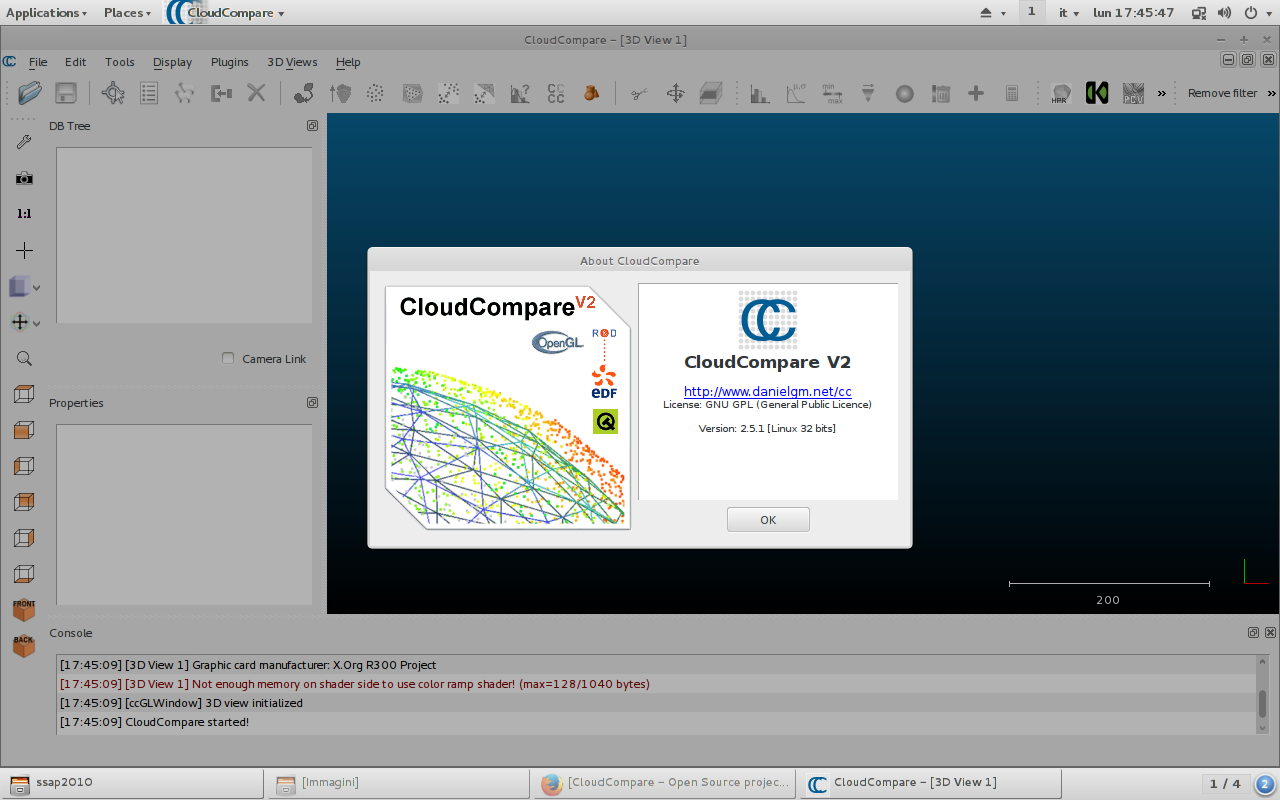
CloudCompare is a 3D point cloud processing software. It's deb is already packed for ArcheOS 5 Theodoric, under development on https://github.com/archeos/ArcheOS . To install on Debian Wheezy (7.8), just add theodoric's repo:
sudo nano /etc/apt/sources.list
then add this lines and save (ctrl+o, then ctrl+x):
#Archeos5 Theodoric deb http://repos.archeos.eu/apt theodoric main contrib non-free
To validate gpg's keys, write :
gpg --keyserver pgpkeys.mit.edu --recv-key 5AC5D028 gpg -a --export 5AC5D028 | sudo apt-key add -
and update source.list by:

sudo apt-get update
 
now you can able to install any software from theodoric's repo,  just pinning by "sudo apt-get install -t theodoric packet-name", let me show you an example that installs CloudCompare:
 sudo apt-get install -t theodoric cloudcompare

that's all.

Thursday, 5 February 2015

Antrocom NPO patronises the exhibit "FACES. The Many Visages of Human History"


Antrocom nonprofit organization patronises the exhibit FACES. The Many Visages of Human History, which is held in the exhibition halls of the University Centre for Museums in Padua from February 14 to June 14, 2015.

The exhibition is the natural continuation of the Taung Project that, among other activities, also produced the reconstruction of the face of Saint Anthony, which has had great resonance among national and international media.

The faces tell our identity and our history: a personal story, but also the evolutionary history of our species. The face is anatomy, physics, physiology; but it is also a symbol, culture and interpretation.

The aim of the exhibition is to tell the various meanings that a face has and can acquire, thanks to finds and three-dimensional reconstructions of great visual impact. The scientific direction and supervision of the exposure are committed to Telmo Pievani and Nicola Carrara, while the three-dimensional and technological fulfilments are entrusted to Arc-Team and Cicero Moraes.

It is indeed a very special event that does not stop at mere display of artifacts, but it is a moment of reflection on forensic techniques used for the reconstruction of the face and on their scientific methodology. A moment that takes advantage of the most modern information technologies of modelling and sculptural development, with tests based on tomographies and original casts.

The exhibition seeks to reflect on the problems of management, usability and preservation of artifacts, especially if they are very fragile as the finds of biological origin.

Another peculiarity of the exhibition "FACES" is the will of the organizers to spread the potentialities offered by the open source world: not only using softwares with this kind of license, but by sharing the obtained three-dimensional models in an open and transparent way, with the opportunity to improve the realized work by other researchers scattered in different countries.

The exhibition is organized into five main themes:

1 - Let's face the human diversity: our origins through the casts of the main hominin fossils and their facial reconstructions, recreated with special forensic softwares and presented through augmented reality technologies. The exhibit also will present newly discovered species (Ardipithecus, Australopithecus sediba, Homo floresiensis) and, for the first time ever, the facial reconstructions of early hominins came out of Africa about 1.8 million years ago, discovered in Dmanisi site in Georgia (Homo georgicus).
The list of hominins on display:
  • Sahelanthropus
  • Ardipithecus ramidus
  • Kenyanthropus platyops
  • Australopithecus afarensis
  • Australopithecus africanus (Mrs. Pless and Taung child)
  • Australopithecus robustus (Paranthropus robustus)
  • Paranthropus boisei
  • Australopithecus sediba
  • Homo habilis
  • Homo ergaster (Turkana boy)
  • Homo erectus (H. pekinensis)
  • Homo neanderthalensis
  • Homo rhodesiensis (H. heidelbergensis)
  • Homo heidelbergensis (Bodo)
  • Homo floresiensis
  • Homo sapiens (Cro-Magnon)
  • Homo sapiens (Idautu)
  • Homo georgicus 1 (classic cast, Zvedza)
  • Homo georgicus 2 (old)
  • Homo georgicus 3 (Mzia)
  • Homo georgicus 5 (2005)

2 - One face, one race? Not really: the concept of "human race" is scientifically inconsistent. For example, the difference in DNA between an African pygmy and a European is only slightly higher than that the one we can observe between two pygmies or between two Europeans: we are all relatives and all different. Humanity is one!

3 - Faces from the past: five faces emerge from time. Five faces linked to, in different ways, the city of Padua. The oldest one belongs to an Egyptian priest of the Ptolemaic Period, whose mummy is preserved at the Museum of Anthropology. After the anticipation of June 10, 2014, the exhibit will propose again the reconstruction of the face of St. Anthony, along with the one of  Blessed Luca Belludi. The exhibition will give to the face of Francesco Petrarca, reconstructed for the first time, a voice to read the sonnet that opens the Canzoniere. The face of Giambattista Morgagni introduces the figure of another illustrious Paduan citizen, considered the father of contemporary pathological anatomy.

4 - The face as a mirror: famous people have dealt with physiognomy and phrenology: for a long time - as many popular sayings declare - it was considered that the moral qualities of a person were reflected in the external appearance, particularly in the visage. Removing the tinsels of old theories, the scientific study of the faces is continued over time because, undeniably, the face says a lot about us and our history, from both a personal and species point of view.

5 - From the face to the mask: the symbolic visage: covering the face is a gesture that distinguishes us from other animals. This is not a refined technique of mimicry because, although masked, we interact with others: the masks are rather fascinating symbolic territories. The masks on display are the most significant of the Museum of Anthropology, coming from different ethnographic collections around the world. Further, the contribution from the precious collaboration with the "Amleto and Donato Sartori" International Museum of the Mask at Abano Terme (Padua) enriches the section.


Informations:

Website: FACES. The Many Visages of Human History (Italian language)
Facebook page: FACES. The Many Visages of Human History

Location and opening time
Exhibition halls of the University Centre for Museums
via Botanical Garden, 15 - Padua
February-March: Monday-Friday 9:00 to 13:00; Saturday and Sunday 9:00 to 17:00
April-June: Monday-Friday 9:00 to 13:00 and 15:00 to 19:00; Saturday, Sunday and holidays 10.00-18.00

Informations and reservations
Bookings Starting from January 12, 2015
Phone: 049 2010270
Website: VivaTicket

Tickets
Full price: € 8,00
Reduced: € 6.00 (employees of the University of Padua, students of all levels, over 65, visitors with full ticket for the Botanical Garden or for the “Amleto and Donato Sartori" International Museum of the Mask  (Abano Terme, Padua)
Reduced for schools: € 4.00

Groups (minimum 10, maximum 20 people): € 6.00
Guided tour for groups (minimum 10, maximum 20 people - mandatory reservation): € 80.00
Guided tours for individuals (mandatory reservation): € 8.00

Presenting the full ticket of the exhibition "FACES. The many visages of human history", you will be entitled to reduced ticket to visit the "Amleto and Donato Sartori" International Museum of the Mask  (Abano Terme, Padua)
Wednesday, 28 January 2015

Facce: a digital poster for the exhibition

The opening of the exhibition "Facce. I molti volti della storia umana" will soon take place in Padua (14th February 2015), so I started to work also on dissemination tools, trying to focus on new media potentialities.
While the real communication experts will take care of the traditional promotion (posters, handbills, etc...), I would like to use the opportunity to test different methods.
Basically I am just developing a digital poster, which should be an reminder of the exhibition (with some essential informations) and, at the same time, an interactive showcase for the photos that the people sent us (and will send us) for our crowdsourcing campaign regarding the pareidolia phenomenon.
I think that the best way to realize this idea is to compile an app for Android, so that it will be accessible to many different smartphones. I designed the app to contain a WebViewer, linked to an address in our server, in which I uploaded an interactive gallery of images.
My first step has been a fast search in internet to find all the tools I was needing to develop my app, of course checking the licenses and choosing the open source software (an the simplest ones, being a newcomer in such field).
As first I focused on the gallery and I chose an MIT licensed  jQuery tool (jssor), with which I build this slideshow:


Than I looked for a software to develop my app and (thanks to +Michele Mazzurana) I came across another MIT licensed software, MIT App Inventor. This software has two main advances: it is based a GUI (very simple) and it does not require an emulator to test the work (if you have an Android device, you can directly connect it with your project).
Here is a screenshot of the direct link between the software and the mobile:

Direct link between MIT App Inventor and the mobile

If you want to test the app, you can download it here. Please notice that to visualize the gallery you will need an internet connection, so (depending on your contract) your provider could put additional costs (no problem if you have a flat rate or if you use free wifi access).
I hope this post was useful, have a nice day!

PS
If you have pictures regarding the pareidolia effect, you can upload them on the FaceBook page of the exhibiotn "Facce" (do not forget to write the author, the title and the license, for the credits). Day by day the pictures will be uploaded in the gallery of the app.

Sunday, 18 January 2015

3D printing for Cultural Heritage

As many of you know,
since last year we are working on the preparation of the open source exhibition "FACCE. I molti volti della storia umana" (here some news in ATOR: 1, 2 and here the official page and the FB page). Of course all the software we are using are Free and Open (FLOSS), but for some particular exhibits, we are working also with open hardware.
Our interest in this specific topic dates back to 2006, when we started investigating the potentialities of open hardware in archeology, especially in the field of aerial photography e rapid prototyping. We get the first results in 2008, with our UAVP prototype (here some news from ATOR: 1, 2) an all the other UAV we built (KK, etc...).
For the exhibition the main open hardware we used are 3D printing machines. We experienced different solutions: +Leonardo Zampi printed the 3D model of the Taung Child thanks to the Kentstrapper machines, an ideal choice if you want an hardware which is ready to work out of the box (here the related articles: 1, 2)...


The Taung Child printed in the Volta printer (Kentstrapper)

... and we build our own device from the scratch, a Fa)(a 3D, thanks to +Giacomo Falaschi  and +silvio tassinari , of Roma Makers.


Building the Fa)(a 3D at Roma Makers lab.

One of the main issue in 3D printing for Cultural Heritage is to replicate an object in the right scale (otherwise you will just print a souvenir) and this is why it is very important to know how to perform a 3D scan, but also how to post-process your data ( (in ATOR you will find a lot of informations about this), in order to send the right file to the machine.
Here are some example of the models we are printing for the exhibition (scale 1:1): some 3D skulls of hominids (different individuals of Homo georgicus) we were able to scan, tanks to the kindness of Prof. David Lordkipanidze, during our mission to Tiblisi and Dmanisi. We will use them to prepare some Augmented Reality interactive exhibits related to paleoart.


3D printed skull (side view)

3D printed skull (front view)

And here is a short video of our Fa)(a 3D in action:


Have a nice day!

Tuesday, 13 January 2015

(Binary) packaging with Debreate

Working on the binary packages of ArcheOS 5 (Theodoric), I found a software that make easy (through a GUI) the entire process, especially the final (package building). With this software, Debreate, if you are able to compile form source code, than you will be able to build a deb binary package with just a few more steps. The whole workflow is guided an pretty easy, but to make things more simple a recorded the videtutorial you can see here below:


The important thing in packaging for ArcheOS is to respect the schema we decided in ArcheOS 4, that for software application is:

/bin (for executables file)
/usr/share/archeos/softwarename-version (for the software files)
/usr/share/icons/archeos/48x48/softwareicon.png (for the icon)

In the example (OpenJUMP) I recorded in the vidotutorial, the schema is the following:

/bin
/usr/share/archeos/openjump-1.8.0
/usr/share/icons/archeos/48x48/openjump.png

I hope this tutorila will be useful and that someone will join us in packaging for ArcheOS Theodoric.

Have a nice day!

Thursday, 8 January 2015

ArcheOS Theodoric OpenJUMP binary package: call for tester

Hi,
I finally found a little bit of time to work on ArcheOS 5 (codename Theodoric). As some of you know, one of our main goal for this version was to add all the software as source packages (instead of binary packages), in order to avoid problems in maintaining different hardware versions (source packages can be compiled by the Operating System independently on 32 bit or 64 bit machine without the necessity to prepare different binary packages). Thanks to the effort of +Fabrizio Furnari  (system engineer) and +Romain Janvier  (archaeologist and IT expert) we reached a good version of ArcheOS, with a lot of software already packaged in source version. If someone is interested in testing the state of the art of ArcheOS 5, he/she can visit the GitHub page and follow the instructions to build an updated ArcheOS 5 iso image. Despite this, a lot of work is still to be done to implement all the necessary software and this is the reason why I proposed, on the developer mailing list, to go on with binary packaging to speed up a final iso release ArcheOS Theodoric.
Today I started with a first package: OpenJUMP. I chose this software because during our last excavation we noticed that it is still an useful application, especially for 2D photogrammetric documentation of wall prospects and archaeological sections. I think that ArchaoSection (developed by the +Denis Francisci , archaeologist and GIS expert) could be a good replacement of OpenJUMP for this operations, but to tell the truth I did not have yet the time to test it. I will record ASAP a videotutorial regarding this topic. By now I share here the new package, in the hope that someone will help me to test it for Debian Wheeze (ArcheOS), so that later it will be uploaded into Theodoric's repository. Due to the fact that I am a little bit rusty in packaging, the software has to be considered as experimental.

OpenJUMP 1.8.0

For the next future I plan to work on packaging the software VTP (Virtual Terrain Prject) with @Bob Max's script to connect it with QGIS (in order to grant a good 3D visualization system in QGIS) and to RGBDemo (due to the feedbacks @Leonardo Zampi wrote about it).

Sunday, 4 January 2015

OpenJUMP, auto assign attribute

This post will present a new videotutorial for ArcheOS 5 (codename Theodoric), regarding the software OpenJUMP.
Like for this other article, also in this case I chose to use a real project, to show the potentialities of ArcheOS in different archaeological missions. The main objective of the work was the inspection of an high mountain area (more than 3000 meters above the sea level), in order to verify the possible presence of historical remains connected with the World War I. One of my specific needs to prepare the mission was the setting of a GIS system, updating a geological vector map of the whole province in which I was operating. Luckily this province (Trentino) is at the forefront (in Italy) for the distribution and use of geographical open data, so I had no problems in finding the base map I mentioned before; the main work has been the updating of the database, connected with the vector layer, in which I had to insert some additional informations that were stored in an external spreadsheet.

In short, what I did in OpenJUMP is:

1. Query the Area Of Interest (AOI) of my project in the vector base map, in order to visualize a numerical code that was connected with the additional data in the spreadsheet

2. Edit the database schema of the vector map to add two new fields for the additional informations

3. Check the spreadsheet to read the values connected to the numerical code of the vector map

4. Query the vector map to select all the regions with the numerical code of my AOI (which would share with it all the same additional informations)

5. Use the Auto Assign Attributes Tool to fill (for all the selected regions) the new empty database fields with the right values

6. Repeat the operations till all the vector map has been updated with the additional informations

This videotutorial shows the main operations. I hope it will be usefull for you. As usual I uploaded it also in the DADP wiki.


Have a nice day!
BlogItalia - La directory italiana dei blog Creative Commons License
This work is licensed under a Creative Commons Attribution 4.0 International License.